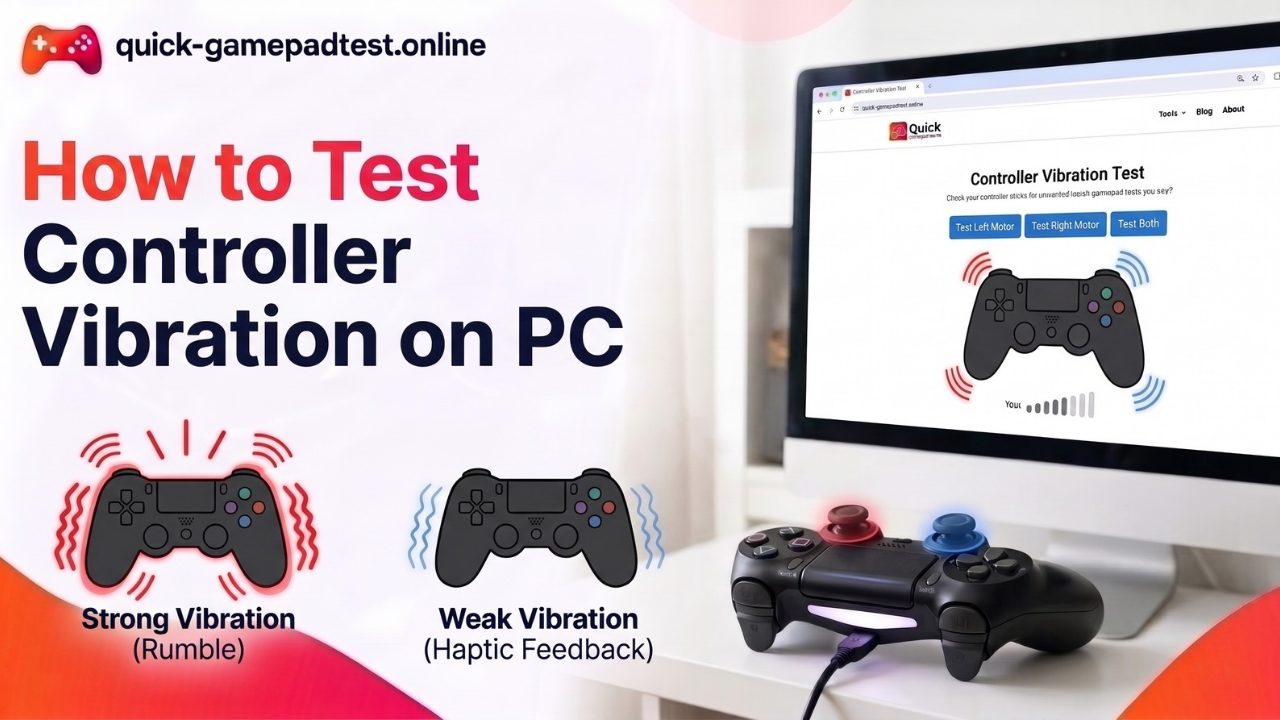

The Quick Gamepad Test vibration and rumble tester is a free browser tool that sends a rumble command to a connected controller through the Gamepad API and shows the motor levels on screen. It helps gamers, parents and anyone who wants to test controller vibration online without installing an app. This post explains every button and bar on the page. To follow along, open the controller vibration test in another tab.
What the Quick Gamepad Test Vibration and Rumble Tester Does
Think of the tester as a messenger. You press a button on the page and the page sends a short note to your controller. The note says shake for a moment, and the controller spins its rumble motors.
A Command Sent to Your Controller, Not a Measurement
The tester does not measure anything inside the controller. It sends a command and shows what it asked for, and your hands do the judging. If you feel a buzz, the message got through.
What a Pass Proves and What It Does Not
A pass proves the controller connected, the browser could talk to it and the motors answered. It does not prove every game will rumble, because a game can switch vibration off in its own settings. It also cannot judge motor force, since the page never reads it. A silent result does not always mean broken hardware either. Controller vibration not working or gamepad rumble not working can come from the browser, the cable or the game.
How the Rumble Command Reaches Your Controller
The trip is short. The controller connects by USB or Bluetooth, and the browser lets the page talk to it. The post on how browsers read your controller covers that first step. This section follows the rumble part only.
The Gamepad API Vibration Actuator
The Gamepad API is a feature inside modern browsers. It lets a page read buttons and sticks, and it lets the page send haptic feedback back. The part that does the shaking is called the vibrationActuator. MDN notes that support differs across platforms and controllers, and a system may skip vibration even when the controller has it.
Strong and Weak Magnitude on a Scale From 0.0 to 1.0
Each motor gets a strength number from 0.0 to 1.0. Zero means off and one means full power. MDN’s playEffect page names the two numbers strongMagnitude and weakMagnitude, and the normal effect type is dual-rumble. The tester shows the same idea as a percentage, so 90% equals 0.9.
Duration and Start Delay
Duration tells the motors how many milliseconds to run, and a millisecond is one thousandth of a second. Start delay tells the page how long to wait before the shake begins. The Dual Rumble button runs for 450 milliseconds, a little under half a second. A new command also replaces one that is still running, so tap one button at a time.
Heavy Motor vs Light Motor
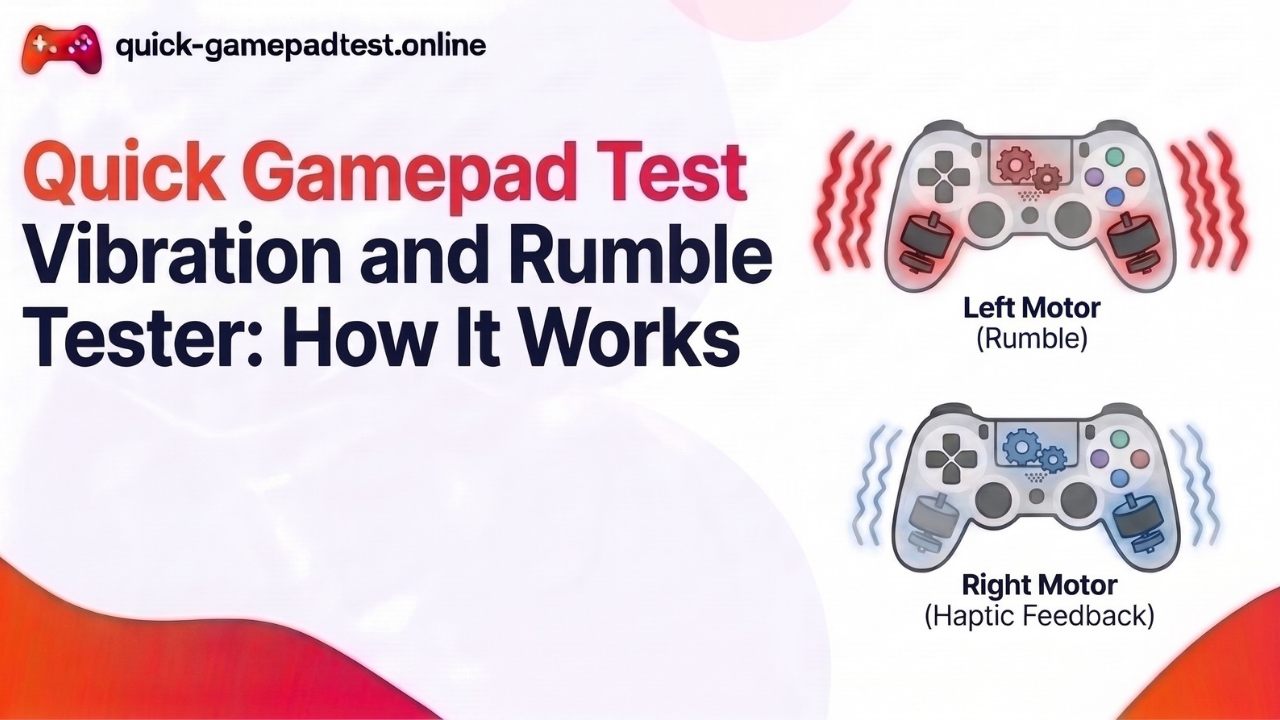
Most gamepads hide two rumble motors, one in each grip.
The Left Heavy Motor
The left motor is the heavy one. It spins a bigger weight, so it makes a deep and slow shake like a drum. The API calls it the strong motor.
The Right Light Motor
The right motor is the light one. Its small weight spins fast and makes a light buzz like a bee. The API calls it the weak motor.
Why Left and Right Are Not Directional
Many players think left means the shake points left. It does not. The two motors simply differ in size, and games mix both to make crashes and footsteps feel different. A softer right side is normal.
| Motor | Typical feel | API value | Matching tester button |
| Left heavy motor | Deep and slow shake | strongMagnitude | Left Motor Only (Heavy Low Pitch) |
| Right light motor | Light and fast buzz | weakMagnitude | Right Motor Only (Light High Pitch) |
| Both together | Full rumble | Both values | Dual Rumble (Both Motors) |
Every Control on the Rumble Tester Explained
Dual Rumble, Left Motor Only and Right Motor Only
Dual Rumble fires both motors for 450 milliseconds. Left Motor Only and Right Motor Only run one motor at 90%. If one side stays quiet, that motor needs a closer look.
Left Trigger and Right Trigger Rumble
These buttons send trigger rumble to the triggers. Only some controllers have trigger motors, such as certain Xbox controllers. If yours does not, the buttons may do nothing, which is normal.
Preset Patterns: Double Pulse, Engine Ramp, Heartbeat, Heavy Impact and Alternating Wave
- Double Pulse sends two quick bursts. It shows whether the motors can stop and start cleanly.
- Engine Ramp rises like a car speeding up. It shows how smoothly the strength climbs.
- Heartbeat gives a low and steady thump. It shows how the heavy motor handles a soft and repeating beat.
- Heavy Impact fires a full 100% blast. It shows the top strength of the controller.
- Alternating Wave goes left to right to left. It shows both sides taking turns.
Custom Vibration Tuning for Duration and Strength
The custom panel starts at 450 milliseconds with both motors at 85%. Move the sliders, press Run Custom Test and press Stop to end early. Low settings show whether a motor can still run softly.
How to Read the Motor Status Bars and Actuator Log
The Dual Motor Status Bars
The Left (Heavy) and Right (Light) bars show the percent the page asked for. They show the command and not the real motor speed. If a bar moves and you feel nothing, the command left the page but the controller did not shake.
The Actuator Log Messages
The Gamepad Actuator Log writes down each test as it runs. MDN says the browser reports an effect as complete when it ends and as preempted when a new effect replaces it. It can also report an error when the controller lacks that effect type.
| What you see | What it means | Where to go next |
| Bars move and you feel a shake | The command worked | Try Alternating Wave to check both sides |
| Bars move but nothing shakes | The command left the page but the controller did not answer | Follow how to test controller vibration on PC for cable, browser and mode checks |
| One side stays silent | One motor or its link may be weak | Retest with a USB cable |
| Bars do not move | The page does not see the controller | Press any button on the pad again |
Which Controllers and Browsers Accept Rumble Commands
Support depends on the controller, the connection and the browser. This table shows what a browser can usually reach.
| Controller | Dual rumble | Trigger rumble | Full haptics |
| Xbox controller | Usually yes | Some pads with impulse triggers | Not exposed |
| DualShock 4 (PS4 controller) | Yes | No | Not exposed |
| DualSense (PS5 controller) | Basic rumble only | Not in the standard test | Not exposed |
| Switch Pro | Depends on setup | No | HD Rumble not exposed |
| Generic pads | Depends on pad and mode | Rare | No |
On a Windows PC, Chrome and Edge are the best picks. MDN’s compatibility data lists Chrome from version 68 and Edge from version 79, with no support in Firefox, and Safari support stays limited. Matt Reynolds noted on the W3C Gamepad issue tracker that Chrome sends dual-rumble effects even to a Switch Joy-Con.
What a Browser Rumble Tester Cannot Check
The tester sends simple rumble. It cannot test PS5 adaptive triggers or the finer DualSense haptic detail. It cannot read motor frequency, force or battery level, and it cannot run HD Rumble on Nintendo controllers. Use the controller’s own app or console settings for those.
Privacy and Motor Wear
The tool reads your controller inside your browser and does not upload your button presses or stick positions. Rumble motors wear a little each time they spin, so a few seconds per motor is enough.
Where Vibration Fits Next to the Other Tests
Vibration is one piece of a full check. See everything Quick Gamepad Test can check for buttons, sticks and triggers too. The stick drift and deadzone checker post and the What Is Quick Gamepad Test post explain the rest of the site.
FAQs
What is a controller vibration and rumble tester?
It is a tool that sends a vibration command to a gamepad so you can feel whether the rumble motors answer. Quick Gamepad Test does this in your browser for free, with no download and no account.
How does an online rumble tester send vibration to a controller?
The page uses the browser’s Gamepad API. It calls the controller’s vibration actuator with a strength for each motor and a duration, and the controller spins its motors for that time.
What is the difference between the heavy and light motor in a gamepad?
The heavy motor sits in the left grip and makes a deep and slow shake. The light motor sits in the right grip and makes a quick and buzzy feel. Games mix them for different effects.
Why does the strong motor feel different from the weak motor?
The strong motor spins a bigger weight at a lower speed, so it feels deep. The weak motor spins a small weight faster, so it feels light. Size and speed make the difference, not the side.
Can a browser test trigger rumble on an Xbox controller?
Sometimes. Some Xbox controllers have motors inside the triggers, and the Gamepad API has a trigger rumble effect for them. It only works when the controller, system and browser all pass the command along.
Can an online vibration test check PS5 adaptive triggers?
No. A browser test sends basic rumble. It cannot recreate the PS5 adaptive trigger resistance or the detailed DualSense haptics, so use your console settings or a game that supports them.
Why does the rumble tester work in Chrome and Edge but not Firefox or Safari?
Chrome and Edge support the vibration part of the Gamepad API. Firefox does not, and Safari support is limited. The same controller can rumble in one browser and stay quiet in another.
What do the strong and weak magnitude values mean in the Gamepad API?
Strong magnitude sets the low frequency motor and weak magnitude sets the high frequency motor. Each is a number from 0.0 to 1.0, where zero is off and one is full power.
Does the vibration test work over Bluetooth as well as USB?
Often yes, but USB is steadier. A weak Bluetooth link or a low battery can cut a pulse short. If the test stays silent over Bluetooth, retest with a USB cable.
Is an online rumble tester accurate enough to measure motor strength?
No. It does not measure strength. It sends a command and your hands judge the result. For repeat checks, use the same buttons and compare how each motor feels over time.